


Find Differences: Spot it!
4.626.00 Reviews
App Specs
- Version
- 1.0.8
- Updated On
- License
- Free
- Downloads
- 100,000+
- Developer
- Greyfun Games
- Categories
- Trivia
- Platform
- Android
Screenshots
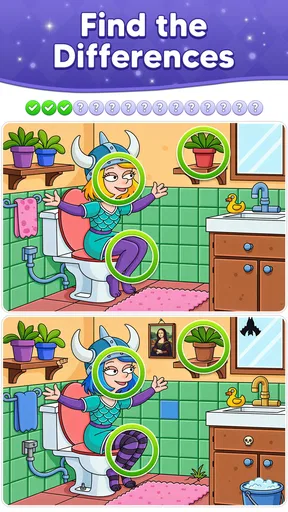
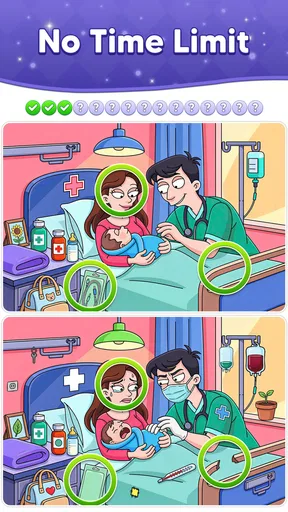
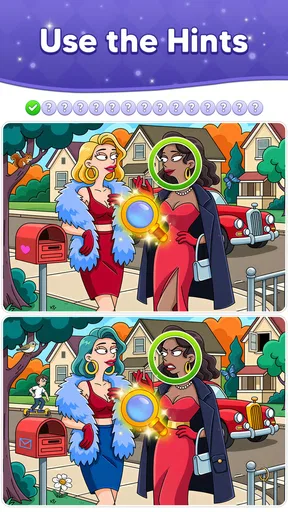
 Analysis by AppCompare
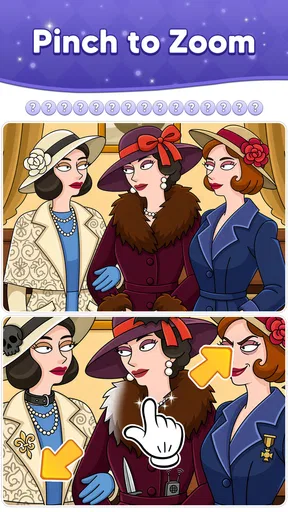
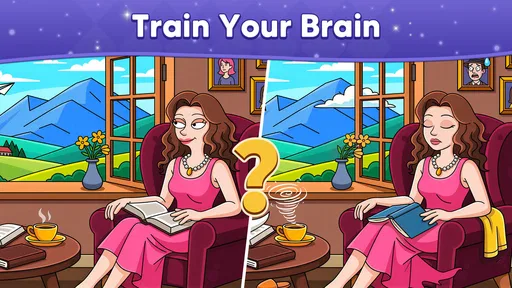
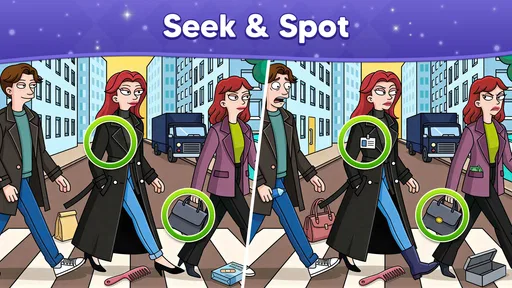
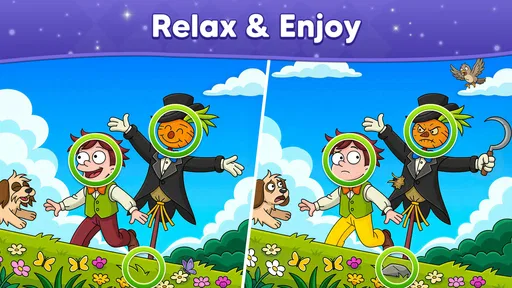
I like picture-difference games most when they make me slow down and really look, rather than turning every round into a race against a clock. Find Differences: Spot it! is built around that simple pleasure: you compare animated pictures and search for details that do not match. It is a focused idea, but one with enough room for a satisfying little routine—especially when I want a quiet game I can pick up without learning a complicated set of rules.
Why animated scenes reward closer looking
One thing I find easy to underestimate is how much movement changes the way I search. My eyes naturally follow whatever shifts or catches the light, while a small mismatch may be sitting in a calmer part of the scene. I get better results when I treat the animation as atmosphere rather than a hint: I let the movement settle in my peripheral vision and deliberately check the picture’s less dramatic areas.
That also makes this a useful game to play in different moods. When I have only a little attention to spare, I can try one puzzle and see whether the scene holds my focus. If I am tired or distracted, the animated details can compete with the comparison itself, so I would not count on it as a soothing choice for every moment. The appeal comes from a balance: enough visual activity to make the pictures feel lively, but a search method that keeps me from chasing every movement.
Why comparing animated pictures changes the puzzle
In a typical spot-the-difference puzzle, the basic challenge is visual attention: scan one image, scan the other, then hold their details in mind long enough to catch a mismatch. Animation gives that familiar task a different feel. The images are not merely still scenes to inspect; movement can draw the eye toward one part of the picture while a smaller change sits elsewhere. That makes patience and deliberate scanning more useful than simply glancing back and forth.
The central capability here is therefore more specific than “solve picture puzzles.” You are training yourself to separate a scene’s overall motion and color from the small details that deserve attention. I find that distinction useful: instead of asking whether a picture looks different in general, I can compare one area at a time and check the shapes, objects, and positions I have already examined.
That approach suits the game’s trivia classification, though its appeal is visual rather than based on recalling facts. It asks for observation, not general knowledge. If you enjoy noticing a tiny change in a familiar-looking scene, that is the reason to try it; if you want questions about history, science, or pop culture, a conventional quiz app will be a better match.
A simple loop that rewards a method
In practice, the useful habit is to compare the pictures in a consistent order. I start at one edge and sweep across the scene, then move down in rows instead of jumping to whichever detail catches my eye. With animated art, I also pause my own search when movement becomes distracting and return to a steady section. This does not require a special technique or extra equipment; it is simply a way to avoid scanning the same obvious area repeatedly while overlooking a small difference near the edge.
Worth Reading Before You Choose

Flipboard Shows What News Apps Must Do Beyond the Feed

Switching to Android Auto Means Rethinking Your Driving Routine

Google Calendar Makes a Crowded Week Easier to Manage

Ludo King Makes the Most of the Minutes Between Plans

Baby Panda World Brings Quick Play to Modern Phones, but Its Game Library Feels Busy

ESPN’s Live Game View Makes Following Close Games Easier
A second helpful tactic is to divide the image into zones. I check the background, the main subject, and the foreground separately. That matters because a scene’s biggest object naturally attracts attention, while a subtle change can be tucked into a less important corner. If I think I have found a mismatch, I compare that exact spot in both pictures before tapping. It is a small discipline, but it reduces guesswork and makes a correct find feel earned.
I also try not to treat every unsuccessful scan as a reason to tap around randomly. A better reset is to look away from the screen for a moment, then return to one clearly defined section and compare its outlines. That simple pause is particularly helpful when two pictures feel almost identical: it clears the impression of the whole scene and lets me inspect individual shapes again. It is a practical way to keep the puzzle from turning into frantic visual searching.
Because the game centers on looking rather than reading long instructions, it is easy to understand what I am meant to do. That makes it approachable for a quick break or for playing alongside someone who does not usually play mobile games. It also means the experience depends heavily on the pictures themselves: when a difference is visually clear, the puzzle feels fair; when motion or visual clutter competes for attention, careful scanning becomes more important.
Where it fits into an ordinary day
For me, the best use case is a short pause when I want something more engaging than scrolling but less demanding than a story game. I can open a visual puzzle, focus on the two scenes, and stop when I need to get back to what I was doing. The format also works well as a shared activity: one person can inspect the left side while another checks the right, then compare observations. That turns a solitary-looking puzzle into a low-pressure conversation without requiring anyone to know trivia or master controls.
A realistic moment for it is a quiet wait before an appointment. I would open the game, agree with a friend to search separate halves of a picture, and trade descriptions if either of us spots something. If the wait ends, the activity has done its job without demanding that we remember a plot or finish a long match. For a shared session, I would make sure both people can see the screen comfortably; otherwise, taking turns is less awkward than crowding around and pointing at the same small details.
It can also be a good choice for a family moment because the content rating is Everyone. That does not mean every player will find every puzzle equally easy, but the core idea is straightforward enough to explain: look closely and spot what has changed. I would use it as a casual observation game, not as a substitute for a structured learning activity or a competitive quiz night.
One practical tip for shared play is to describe locations rather than shout “there!”—for example, “near the top edge, beside the tree.” That keeps both players looking at the same part of the scene and makes it easier to check whether the difference is real. When playing alone, the same habit helps: naming the area in my head gives my search a direction and stops me from circling back without purpose.
What it does better than familiar alternatives—and what it does not
Compared with a standard trivia game, this is much less about what you already know and more about how attentively you inspect what is on screen. That is a welcome change when I do not feel like answering knowledge questions or being judged on memory. Compared with a static spot-the-difference book or app, animated pictures add a livelier visual element, but they can also make the search feel less still and methodical. If you prefer a quiet, fixed image that you can inspect at your own pace, a traditional puzzle may be more comfortable.
There is a tradeoff between accessibility and depth. The premise is immediately clear, which is excellent for casual play, but players looking for elaborate strategy, character progression, or a broad mix of puzzle types may find the narrow focus limiting. It is also not the right choice if you want a word quiz, a multiplayer competition with defined rules, or a game that rewards long sessions with a complex campaign. Its strength is concentration on one visual task, not variety across genres.
Visual comfort is worth considering too. Anyone who finds animated scenes tiring may prefer a still-image alternative, particularly for longer play. I would keep sessions relaxed and use the zone-by-zone method rather than rapidly flicking my attention around. If a puzzle is not clicking, taking a brief pause is more useful than tapping at random; the whole point is careful comparison, and frustration can make small details even harder to notice.
There is another small tradeoff in the way this kind of puzzle uses attention: a player who likes to play while listening closely to a conversation or watching something else may keep losing their place. The pictures ask for enough visual focus that I would not choose them as background entertainment. If you need a game that can be played almost automatically, a simple word or matching activity may fit better. Here, the satisfying moment comes from actually looking, so splitting attention can make the task feel more tedious than relaxing.
Cost, compatibility, and the basics
Find Differences: Spot it! is a free game from Greyfun Games, with optional in-app purchases listed at $9.99 per item. It has an average rating of 4.6 from 193 ratings, alongside 26 written reviews, and has passed 100K+ installs. I see those figures as a useful sign that other players have tried it, not a guarantee that its particular visual style will suit everyone.
The current version is 1.0.8, and the stated minimum operating-system requirement is 7.1. Its age rating is Everyone, which makes it easier to consider for a broad household audience. Before installing, I would still check that my device meets the requirement and think about whether a visual-search game is the kind of break I actually want. “Free” is a low-risk way to try the core experience, while the listed purchase price is a reason to be mindful of any optional spending.
For someone deciding whether to spend anything, I would first try the free experience and judge the basic act of comparing scenes on its own. The optional purchase price is not a reason to assume that spending is necessary, and I would avoid buying anything simply because I wanted to get past a difficult search. If I were considering a purchase, I would pause and ask whether I was enjoying the observation itself; if the answer is no, paying is unlikely to solve the mismatch between the game’s focus and my taste.
I would not choose it because of the rating alone. The more useful question is whether you enjoy visual puzzles and can be patient with a scene that asks you to compare details rather than move quickly through a stream of questions. If that sounds appealing, the free entry point makes trying it straightforward. If you would rather spend your downtime reading clues, testing facts, or solving a more varied set of challenges, another trivia or puzzle game will likely keep you interested for longer.
Who gets the most from this kind of challenge
This is a good fit for people who like observation puzzles, want a simple game to share casually, or need a short activity that does not depend on specialist knowledge. I especially recommend it to players who enjoy improving their own search habits: scanning in sections, checking the edges, and resisting the urge to guess. Those small choices can make a basic premise feel more satisfying because you are using a repeatable approach rather than relying on luck.
It is less suitable for anyone who expects a deep trivia catalogue, prefers still pictures, or needs a game with a wide range of mechanics to stay engaged. The animated-picture focus is both its identity and its limit. That focus can make a short session pleasantly absorbing, but it will not turn into a different kind of game just because you keep playing.
Players who want a factual quiz should skip it, even if they are browsing the trivia category: the challenge is visual, not a test of remembered knowledge. Likewise, a person who dislikes searching busy scenes or wants a more tactile, varied puzzle collection may be happier with a conventional quiz or a static-image puzzle. I would recommend it most confidently to someone who enjoys noticing small details and is content for one clear mechanic to carry the experience.
My overall take is that this is a straightforward visual puzzle with a useful, specific appeal: it gives your attention one clear job. I would recommend giving it a try if spotting small mismatches sounds relaxing, especially for brief breaks or friendly side-by-side play. Just approach it as a focused game of looking closely, not as a full trivia collection. When that is what you want, its simplicity is a strength; when you want broader variety, it is a reason to look elsewhere.
Pros
- Simple rules make it easy to start playing right away.
- Short rounds fit well into quick breaks.
- A relaxing way to practice visual attention.
- The spot-the-difference format is familiar and easy to understand.
- Suitable for players who enjoy casual puzzle games.
Cons
- Small details may be difficult to see on smaller screens.
- Timed challenges can feel stressful for relaxed play.
- Repeated puzzle mechanics may become predictable over time.
- Ads or optional purchases may interrupt the experience.
- Some levels may be challenging without hints.
FAQs for Find Differences: Spot it!
What do you do in Find Differences: Spot it!?
Find Differences: Spot it! is a visual puzzle game in which you compare two pictures and tap the details that do not match. Differences may be small, such as a missing object, a changed color, or an altered shape, so careful observation matters. The exact selection of images, levels, and game modes can vary by version, but the central challenge is to spot every difference before you run out of time or hints.
Is Find Differences: Spot it! suitable for beginners and children?
The basic rules are simple enough for newcomers: look closely at both images and select anything that differs. Early puzzles in games of this type are generally easier, while later stages can test concentration and patience. It may suit children and adults who enjoy picture puzzles, though difficulty, advertisements, and any age-related guidance depend on the specific app version. Check the store listing and parental controls before installing it for a child.
Does Find Differences: Spot it! work offline?
Some picture-difference games allow previously downloaded or included puzzles to be played without an internet connection, while other features may require connectivity. The app’s behavior can depend on the version and device: ads, online events, downloads, and progress syncing may not be available offline. If playing without internet access is important, check the current store description and test the game in airplane mode before relying on it during travel.
Is Find Differences: Spot it! free, and does it include ads or in-app purchases?
The app may be free to download, but that does not necessarily mean every part of the experience is free. Games in this category can show advertisements, offer optional purchases, or use hints and other items that affect progression. Pricing and monetization can change by region or update, so review the Google Play or App Store listing before downloading. You can also check purchase settings and parental controls to help prevent unintended spending.
What permissions or personal information does Find Differences: Spot it! require?
The permissions and data practices depend on the version, developer, and platform. A puzzle game may request network access for ads, analytics, or optional online features, but you should not assume that every permission is essential to play. Before installing, review the app’s permission prompts and privacy policy, along with the data-safety information on its store page. Avoid granting access that seems unrelated to the features you intend to use.


